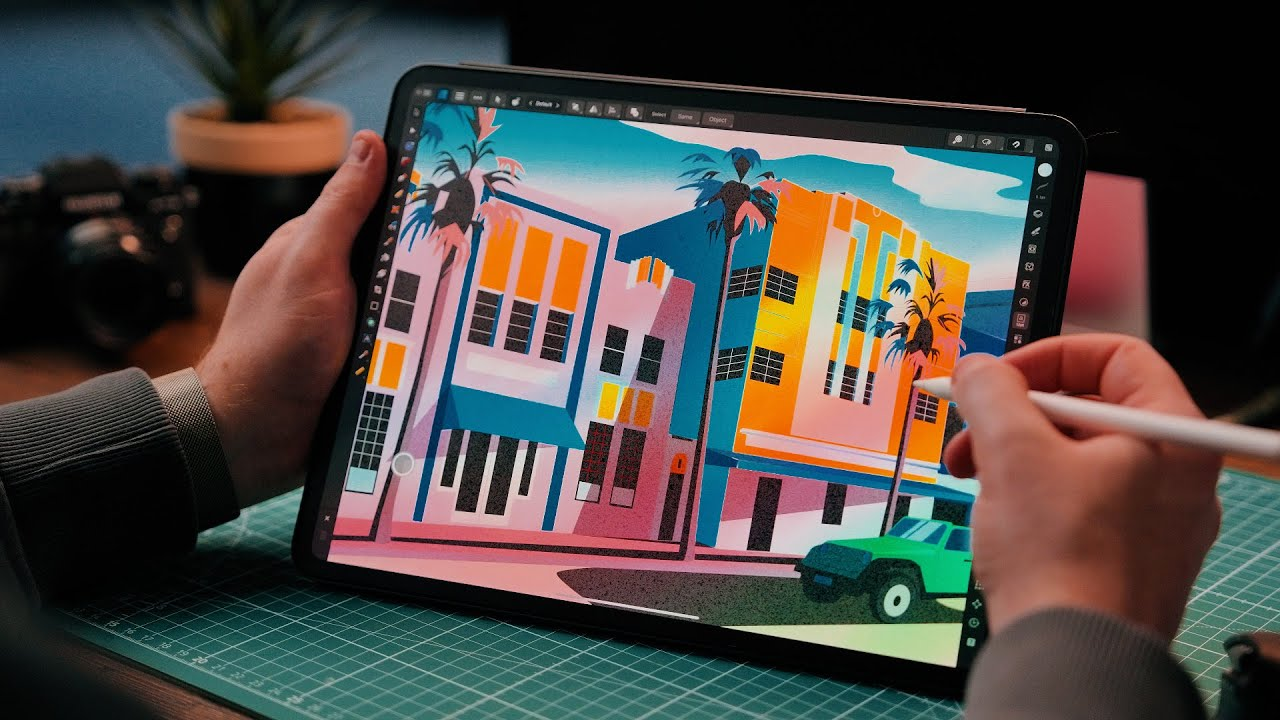
For digital artists, illustrators, and graphic designers, the iPad has become far more than a tablet for browsing it’s a genuine creative workstation. With Apple Pencil support, a color-accurate display, and apps like Procreate, Adobe Fresco, and Photoshop for iPad, it’s now possible to sketch, paint, design, and export professional-grade work entirely from one portable device. This guide breaks down how to build that workflow, which iPad fits which kind of creative work, and what each model costs in Bangladesh right now.
Why the iPad Works So Well for Digital Art
Three things make the iPad a serious tool for artists rather than just a convenient one: Apple Pencil’s low latency and pressure sensitivity, iPadOS’s growing library of professional-grade creative apps, and Apple Silicon’s raw processing power, which handles large PSD files, high-resolution canvases, and layered illustrations without slowing down.
Apple’s latest Pencil options add to this. The Apple Pencil Pro supports squeeze gestures for switching tools, barrel roll for angling brushes, and haptic feedback, making it feel closer to a real drawing instrument. The more affordable Apple Pencil (USB-C) drops a few of these extras but still delivers accurate pressure sensitivity and tilt support for shading, a solid entry point for artists building their first digital workflow.
Building the Workflow: From Sketch to Final Export
A typical professional workflow on iPad moves through a few clear stages, and choosing the right apps for each stage matters as much as choosing the right iPad:
- Sketching and ideation: Procreate remains the go-to for quick thumbnails and concept sketches, thanks to its natural brush engine and fast interface.
- Illustration and painting: Procreate and Adobe Fresco both support advanced layering, blend modes, and custom brushes for finished illustrations.
- Graphic design and vector work: Adobe Illustrator for iPad and Affinity Designer handle logos, typography, and vector-based projects.
- Photo editing and compositing: Adobe Photoshop for iPad supports full PSD file editing, so work can move between iPad and desktop without losing layers.
- Comic and line art: Clip Studio Paint is preferred by illustrators who need panel tools and precise inking brushes.
- Cloud sync and handoff: Saving to iCloud or Creative Cloud keeps files accessible across iPad, Mac, and external drives, and several current iPad models support external SSDs for faster file transfers on bigger projects.
The strength of this workflow is that an artist can sketch on a commute, refine in a studio, and export a client-ready file all without switching devices.
Which iPad Should Artists Choose?
Not every artist needs the same iPad, and the right model comes down to the kind of creative work being done.
iPad Pro: Best for Professional Illustrators and Studio Work
The iPad Pro, now running Apple’s M5 chip, is built for artists working on complex, layer-heavy files or professional client deadlines. Its Ultra Retina XDR (Tandem OLED) display delivers noticeably better contrast and color accuracy than LCD-based iPads, which matters for illustrators who need their colors to look right when a file moves to print or another screen. ProMotion’s 120Hz refresh rate also makes pen strokes feel closer to real ink, with less visible lag between hand movement and the line appearing on screen.
In Bangladesh, the iPad Pro M5 11-inch starts at around 122,400 Taka, while the 13-inch model starts at approximately 162,500 Taka. This is a serious investment, but for artists doing paid illustration, concept art, or design work professionally, the display quality and performance headroom pay for themselves over time.
iPad Air: Best Value for Most Digital Artists
The iPad Air, now available with the M4 chip, is where most hobbyist and semi-professional artists land, and for good reason. It runs Procreate, Adobe Fresco, and Illustrator smoothly, supports the Apple Pencil Pro, and comes in both 11-inch and 13-inch sizes for artists who want a larger canvas without paying Pro-level prices. It uses a Liquid Retina (LCD) display rather than OLED, which is a reasonable trade-off for most illustration and design work outside of highly color-critical print production.
The iPad Air M4 11-inch is priced at roughly 78,500 Taka in Bangladesh, making it the strongest balance of performance and price for artists who want a genuine professional workflow without stretching to Pro pricing.
iPad Mini: Best for Sketching and Portability
The iPad Mini 7, with its A17 Pro chip and compact 8.3-inch display, isn’t built for long painting sessions, but it’s an excellent portable sketchbook for capturing ideas on the go, thanks to its light weight and pocket-friendly size. Priced from around 57,000 Taka in Bangladesh, it works well as a second device alongside a larger iPad used for finished work.
Base iPad: Best Entry Point for New Digital Artists
For students or beginners testing whether digital art is the right path, the base iPad 11th Generation, priced from about 44,300 Taka, supports Apple Pencil and runs Procreate comfortably for casual sketching and learning fundamentals, even if it lacks the OLED display and top-tier processing power of the Air and Pro lines.
Apple Pencil: Picking the Right One
Pairing the right Pencil matters as much as the iPad itself. The Apple Pencil Pro, priced at around 14,000 Taka in Bangladesh, is the better choice for artists who want gesture controls and are using a compatible iPad Air or Pro model. The Apple Pencil (USB-C), at roughly 10,800 Taka, is a solid, budget-friendly option for casual sketching and note-taking without the extra gesture features.
Where to Buy Official Apple iPad in Bangladesh
Since iPad pricing and availability can shift with import cycles and currency changes, buying from an authorized source matters for warranty coverage and genuine hardware. Star Tech is a well-known destination for artists and designers in Bangladesh shopping for an iPad. Offering the current iPad Pro, Air, Mini, and base lineups alongside Apple Pencil options, EMI installment plans, and nationwide home delivery useful for anyone comparing models and budgets before committing to a purchase.